SMTP Error 451 4.3.2 is a temporary rejection error that occurs when a receiving mail server is unavailable — typically due to overload, maintenance, or a shutdown in progress. Unlike permanent 5xx errors, a 451 means the server expects to recover and your message will be retried automatically. To fix it:
- Check the receiving server’s status page for outages.
- Verify your SMTP configuration and sending limits.
- Enable automatic retries in your email client or server.
- Warm up your sending IP if you are a new sender.
- Monitor server resources (CPU, memory, bandwidth) for overload.
If you’ve received a message like “451 4.3.2 Try again later” or “451 4.3.2 Server shutdown in progress,” your email was temporarily rejected by the receiving server — but it has not been lost. This is one of the most common temporary SMTP errors — caused by server overload, maintenance, or a scheduled shutdown on the recipient’s end. In most cases, your mail server will retry automatically. However, if this error appears repeatedly, it may signal a problem with your sending setup that needs attention.
The good news? In most cases, your email will be delivered once the receiving server recovers — no action needed. The bad news: if this error keeps appearing, it often points to issues on your side: an unwarmed IP, poor sender reputation, or sudden sending spikes that trigger throttling. This guide explains exactly what causes SMTP Error 451 4.3.2, how to tell whether the problem is theirs or yours, and what to fix if it keeps coming back.
What is SMTP Error 451 4.3.2?
SMTP Error 451 4.3.2 is a temporary failure code returned by a receiving mail server when it cannot accept an incoming message at that moment.
Unlike a 5xx error (which is permanent), a 451 signals the issue is expected to resolve itself and your email should be retried.
Common error messages you may see include:
- “451 4.3.2 Try again later”
- “451 4.3.2 Server shutdown in progress”
- Temporary local problem – please try later”
Why did you receive SMTP Error 451 4.3.2? (5 root causes)
1. Server overload
Think of a server overload like a highway during rush hour. There are too many vehicles and too little space. When an email server receives far more simultaneous connection requests than it can handle, it starts temporarily rejecting new ones to prevent a full crash. This is a self-protective mechanism, not a sign that something is permanently broken.
2. Server maintenance or updates
All mail servers require regular maintenance windows to apply security patches, improve performance, or respond to critical vulnerabilities.
During these windows, the server stops processing inbound email, and any attempt to deliver during this period results in the 451 4.3.2 error. While maintenance is usually scheduled during off-peak hours, emergency downtime can still happen at any time.
3. Resource constraints
Mail servers depend on CPU, RAM, disk I/O, and network bandwidth to operate smoothly. When any of these resources become scarce (due to unexpected traffic spikes, memory leaks, or underpowered infrastructure), the server may block incoming connections until resources free up.
4. Anti-spam throttling
Some receiving servers implement dynamic connection throttling as a defensive spam measure. If they detect unusual sending patterns like a large volume of emails in a short window from a new IP address, they may temporarily reject connections with a 451 code. This is more commonly associated with 451 4.7.1, but 451 4.3.2 can be triggered under similar circumstances.
5. Server configuration errors
Misconfigured SMTP settings (particularly around connection limits, queue management, or network infrastructure) can cause the server to behave as if it is unavailable, even when it is technically running.
How to fix SMTP Error 451 4.3.2: step-by-step
- Verify the receiving server’s status. Go to the status page of the destination email provider (e.g., Google Workspace Status, Microsoft 365 Service Health) or use a third-party service like Downdetector to check for reported outages. If an outage is confirmed, the only real fix is to wait it out and your email server should retry automatically.
- Review your email sending volume. If you are a bulk sender, check whether you have exceeded the sending thresholds of your email service provider. Gmail, for example, enforces daily sending limits. Exceeding them triggers temporary blocks that look like 451 errors to the recipient server.
- Monitor server resources. If you manage your own mail server, check CPU usage, available memory, and network bandwidth. Tools like Nagios, Zabbix, or your cloud provider’s monitoring dashboard can help you identify bottlenecks and take corrective action such as scaling resources or optimizing queue settings.
- Inspect your SMTP configuration. Review your outgoing SMTP server settings: port number, authentication method, TLS/SSL settings, and connection throttling rules. Even a small misconfiguration can cause delivery failures that mimic server-side issues.
- Enable automatic retries. Most modern email clients and servers will retry sending after a temporary error by default. Make sure your retry logic is active, and configure sensible retry intervals (e.g., retry after 5 minutes, then 30 minutes, then 2 hours) before generating a non-delivery report.
Pro tip from email deliverability experts: If you are seeing 451 4.3.2 errors frequently, the issue is often on the sending side, not the receiving side. A low sender reputation score, an IP that has not been properly warmed up, or sudden spikes in sending volume can all cause receiving servers to “temporarily” reject your mail while they evaluate your traffic patterns.
Platform-specific fixes: Gmail, Outlook & Yahoo
Gmail (Google Workspace)
- Stay within Google’s sending limits (e.g., 2,000 messages per day for standard Workspace).
- Ensure your security settings, SPF, DKIM, and DMARC records are correctly configured to avoid triggering Google’s spam filters, which can generate 451-style temporary rejections.
- Check the Google Workspace Status Dashboard for any active incidents.
Outlook / Microsoft 365
- Verify that your outgoing SMTP server settings match Microsoft’s recommended configuration.
- Ensure your account has not been flagged for unusual activity.
Yahoo Mail
- Make sure your Yahoo SMTP settings are correct (smtp.mail.yahoo.com, port 465 with SSL).
- If you are sending bulk mail to Yahoo addresses, be aware that Yahoo has strict feedback loop and sender reputation policies.
- Review Yahoo’s Sender Hub resources for detailed guidance.
Still seeing 451 errors? Your sender reputation may need attention.Warmy’s deliverability experts can audit your setup, identify what’s triggering temporary rejections, and build a warmup plan that stops 451 errors for good. Talk to a specialist today — it’s free.
📅 Book a Free Demo with Warmy →
How to prevent SMTP Error 451 4.3.2
While server-side maintenance and outages are beyond your control, the following best practices will ensure that if you encounter this Error 451 4.3.2, it’s not due to factors on your end:
- Warm up new sending IPs gradually. If you have recently switched to a new IP address or started sending high volumes, do not skip the email warmup process. Ramp up your send volume slowly over several weeks. Receiving servers are far more likely to temporarily reject traffic from cold or unestablished IPs.
- Monitor your sender reputation continuously. Track your bounce rates, spam complaints, and engagement metrics. A declining reputation is a leading indicator of deliverability issues (including temporary rejections) before they become serious.
- Set up proper email authentication. Ensure your SPF, DKIM, and DMARC records are correctly configured for every sending domain. Misconfigured authentication is one of the most common reasons for receiving servers to throttle or block incoming mail.
- Avoid sending spikes. Sudden, large increases in sending volume look suspicious to receiving servers. Spread campaigns across time windows and stay within your established sending patterns.
- Use an email deliverability service. Tools like Warmy.io automate the warmup process, simulate natural sending behavior, and continuously monitor your sender reputation so you avoid the conditions that lead to 451 errors.
How Warmy.io helps you avoid 451 errors for good
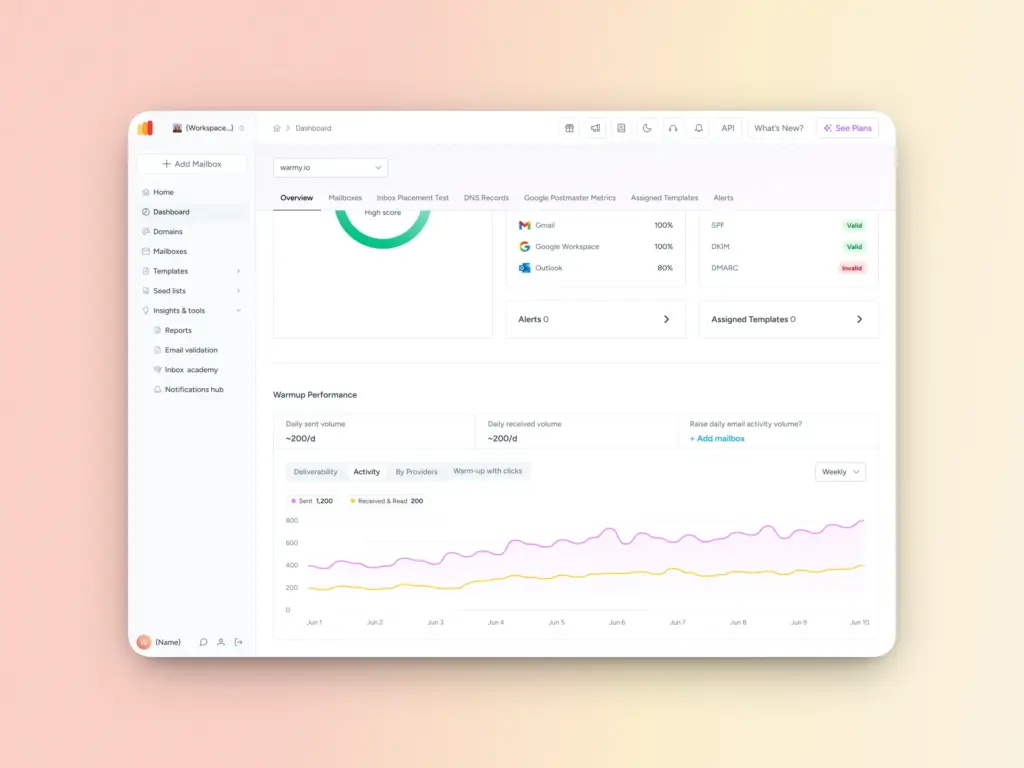
Warmy is an AI-driven email warmup platform that resolves deliverability problems by building your sender reputation gradually and intelligently. This reduces the risk of both temporary rejections like 451 4.3.2 and more serious permanent blocks.
Here is how Warmy helps:
- AI-powered email warmup: Warmy simulates natural email engagement patterns to build trust with receiving servers over time, so your emails are far less likely to be throttled or rejected.
- Customizable warmup preferences: With Warmy’s Warmup Preferences feature, you can tailor your warmup strategy by email provider — aligning your sending volume with provider-specific thresholds for better inbox placement.
- Free Email Deliverability Test: Know where you stand, where your emails are landing across providers, and if you’re included in any major blacklists. Take the test now.
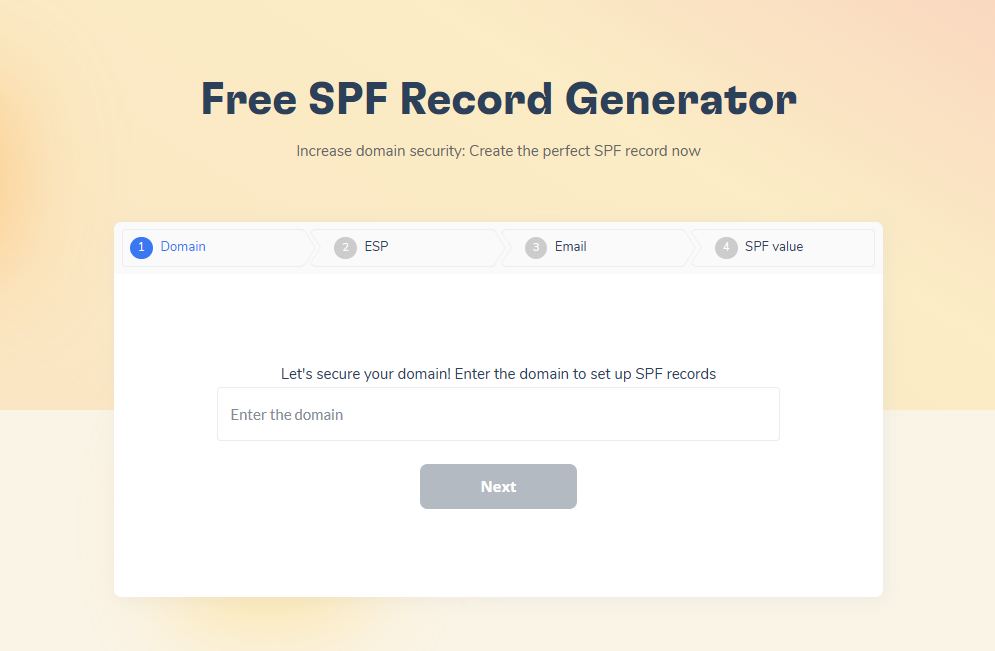
- Free SPF Record Generator and DMARC Record Generator: Ensure your email authentication is set up correctly from day one, eliminating configuration-related causes of 451 errors.
- Adeline AI — your dedicated deliverability AI: Unlike other tools that offer generic warmup, Warmy’s built-in AI (Adeline) continuously analyzes your sending patterns and adapts your warmup strategy in real time — a capability competitors simply don’t have.
- Warmup with real clicks: Warmy’s warmup network of over 1 million active mailboxes simulates genuine engagement — including actual link clicks inside warmup emails. Most competitors do not offer this, and Warmy’s Warmup With Clicks dashboard provides transparent proof of every interaction.
- Email Template Checker + Chrome Extension: Scan your email templates for spam triggers before you send, both inside the Warmy platform and directly in your browser via the free Chrome extension — a feature most competitors lack entirely.
- Dedicated Customer Success Manager: Every Warmy customer gets a dedicated deliverability expert and a Customer Success Manager — real people who help you solve problems like persistent 451 errors. This level of support is rare among email warmup tools.
SMTP Error 451 4.3.2 is a temporary setback, not a death sentence for your email. In most cases it resolves automatically, but if you start experiencing this error and other SMTP errors often, it’s a sign that something in your sending setup (your IP reputation, sending volume, or authentication records) needs attention.
The most effective long-term solution is to build and maintain a strong sender reputation from the start. Warmy.io makes this process automatic, helping you avoid the conditions that lead to temporary rejections and ensuring your emails land in the inbox.
Start warming up your email today. Try Warmy.io for free.