


AI Email Template Checker: Find Spam Triggers Before You Send
Test your template before it reaches your prospects.
Template checker extension
Instantly check and boost your email templates in-browser
Our email template checker uses Warmy’s ML models to review your subject line and body before you send the message. Get a score out of 100, passed and failed checks, and a list of phrases to fix.
How to Check Your Email Template
Enter your sender email address, subject line, and full email body.
Click Analyze to run the check.
Review highlighted wording in the editor and the detailed findings in your report.
Edit your draft in the editor, then click Analyze Again to check the revised version.
How to Read Your Report
Our email spam content checker scores your draft out of 100 based on the check results and puts it into one of five bands, with a short verdict at the end (e.g., “Almost ready - a few tweaks left” or “Not ready to send”). Failed checks and warnings lower the score.
Your template’s score falls into one of these bands:
- Good:
- 85–100
- Fair:
- 70–84
- Needs work:
- 55–69
- Poor:
- 35–54
- Critical:
- 0–34
You’ll also see the number of failed checks, warnings, and passes, plus the first few suggested fixes. When editing, prioritize the failed checks, then move to warnings.
Want every fix? Click Help Me Fix It or Talk To an Expert to book a free call with a Warmy deliverability expert.
Start your 7-day free trial.No credit card required.
What the Checker Analyzes
Our email content spam checker assesses your subject line, body, and context. The checklist is updated frequently, so the signals below are only examples, not a full list.
Subject Line
The subject line is what your recipient sees first, so the analysis covers its length, personalization, special characters, emojis, and capitalization, including ALL CAPS or Title Case. Warmy uses these details to assess the subject and suggest adjustments, which you can then review and decide whether to implement.
Email Body
Our email spam trigger words checker assesses your message for length, word count, and estimated reading time to help spot copy that asks too much of the reader. Warmy also examines signals such as personalization, signature complexity, link count, HTML or plain text format, calls to action, emojis, and trigger words before recommending changes.
Context
Warmy compares your template with patterns learned from real delivery results. The model has been trained on data from different topics, languages, and industries, including digital marketing, real estate, construction, and more.
Why a Spam Word List Is Not Enough
You can check spam words against a fixed list, but that will only flag individual words, while mailbox providers analyze content alongside sender reputation, authentication, and recipient engagement. This means removing words from a list alone doesn’t solve every delivery issue.
Warmy’s email spam checker runs an AI audit that checks the whole template: subject, body, links, formatting, and personalization. The template score is calculated from the results of those checks: each failed check and each warning lowers it, and the report shows what to fix.
That helps you review the whole message. It does not reproduce each provider’s filters or predict placement for every recipient.
Content Is Clean. Let Adeline Check the Rest
Having a clean message doesn’t guarantee inbox placement — you may still have trouble with reputation, authentication, or sending setup.
Built on billions of deliverability data points, Adeline, Warmy’s AI email deliverability agent, connects to your sending platforms like Mailchimp, SendGrid, and Mailgun to diagnose deliverability issues. She also explains why a specific provider may filter your email as spam and what to fix first, all in chat.

Spam Trigger Words by Category
An email spam word checker can flag phrases. Treat them as prompts to review your wording, rather than a list of banned terms:
- Aggressive promotion:
- “Buy now” or “exclusive deal.”
- Explain the offer and why it is relevant instead of repeating sales language.
- Overpromising:
- “Guaranteed results” or “double your income.”
- Replace sweeping promises with claims you can support.
- Urgency:
- “Act immediately” or “last chance.”
- State a deadline clearly; avoid pressure without a reason.
- Money:
- “Bonus,” “deposit,” or “cash.”
- Keep necessary terms, but explain the amount, conditions, or purpose.
- Formatting:
- ALL CAPS, repeated exclamation marks, or excessive symbols.
- Use normal capitalization and punctuation.
See our full list of spam trigger words for more examples.
Note: The presence of a flagged word (or its removal) does not determine inbox placement.
How to Structure a Cold Email Template That Passes the Check
Before you check email for spam words, build an easy-to-follow draft:
- Subject:
- Keep it short and plain. Avoid all caps, repeated exclamation marks, and a pasted “Subject:” label.
- Personalization:
- Insert
{{ Recipient_Name }}and{{ My_Name }}where appropriate. - Body:
- Cover one main idea. Use shorter paragraphs and keep content at a reasonable length. Preview on mobile to check the subject and preheader.
- Links:
- Aim for one or two links. Avoid link shorteners.
- CTA:
- Make one clear request.
- Signature:
- Add your name, role, and company. Build a simple email signature without heavy images or multiple links.
- Review:
- Fix failed checks, then warnings, and analyze again.
Steps After the Check: Placement Test and Warm-Up
Send your email to the addresses provided by our free deliverability test. Review where it lands across tested mailboxes, including inbox, spam, and promotion tabs.
For ongoing reputation building, Warmy’s email warm-up lets you add your campaign templates. Warm-up works best when the content looks like the emails you actually send, so using your real templates keeps the two aligned.
Frequently Asked Questions
Over 7,000 Businesses Trust Warmy












Free Tools To Optimize
Your Email Workflow
SPF Generator
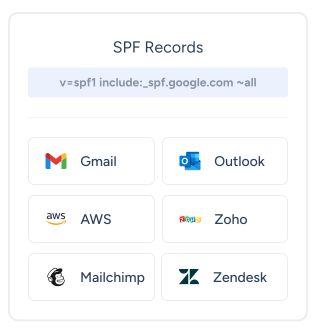
Ensure that only authorized servers can send emails on your behalf and improve email deliverability by generating an SPF record.
Open tool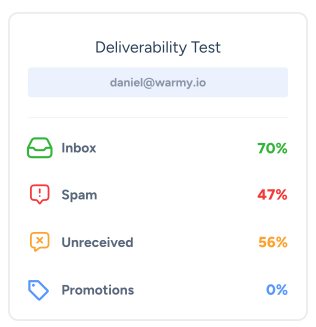
Deliverability Checker
Test how well your emails reach inboxes across different providers. Assess your email deliverability and optimize your sending reputation.
Open tool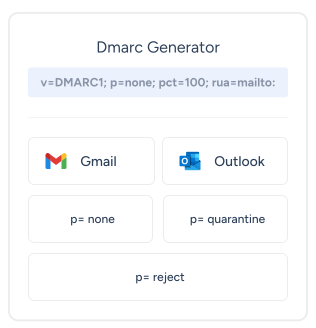
DMARC Generator
Strengthen your email security by generating a DMARC record. Improve deliverability and safety of your emails.
Open tool25-Second Setup
Vs Weeks Of Frustration
No Credit Card Required | Cancel Anytime